Reading
Facts before prose
The fact panel is shown alongside the note, so disagreement between what was said and what was written is visible rather than inferred.
How it works
The clinical workflow is deliberately unglamorous: capture, inspect, edit, approve, export. The interesting decisions are in what the system refuses to do at each step.
Step by step
A consultation is keyed to a hospital record number, not a patient name. Names are not used as identifiers anywhere in the workflow.
Refuses to make the patient's name the primary key.
Before recording, the screen states which transcription route is used and how long audio is kept. Two input paths exist: audio capture, and a typed transcript for settings where recording is not appropriate.
They are not equivalent The audio path runs a normalisation layer on recognition output; the typed path does not. In English this rarely matters. In code-switched Malayalam it currently changes the result.
The transcript is shown with speaker attribution and a parallel fact panel. Each fact carries a status, a subject, and the span it came from. Selecting a claim in the note highlights the words that support it.
Refuses to show a claim with no span behind it.
The note is organised under fourteen standard sections. Sections without evidence say “Not documented” rather than being filled with plausible content. Any clinician edit moves the note to reviewed — never to approved.
Refuses to treat generation as review, or review as approval.
Approval is a separate, credentialed action by a named clinician. Only then can the note be exported, and only then does the audio retention clock start. An approved note cannot be silently edited afterwards.
Refuses to export an unapproved draft.
The review screen
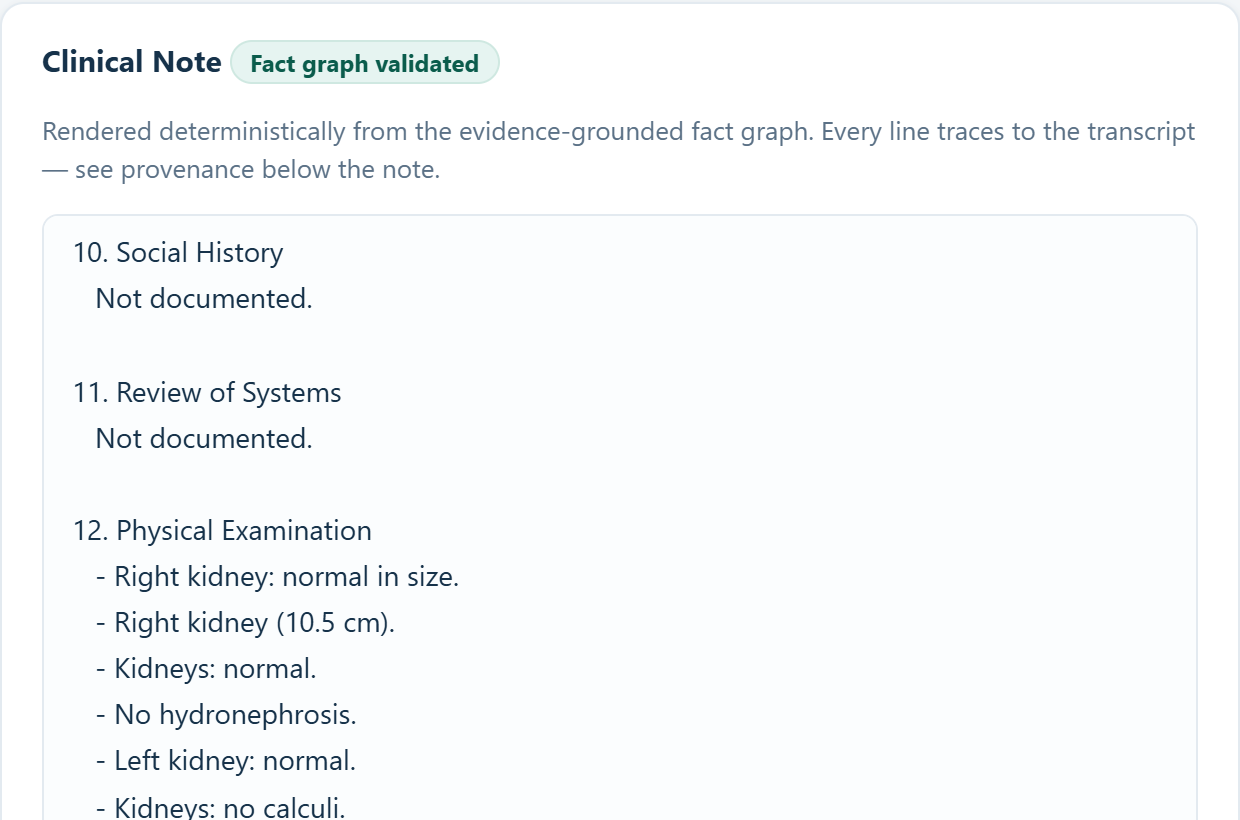
Everything before this screen is preparation. The review screen is the product: a draft on one side, the evidence behind each line on the other.
Reading
The fact panel is shown alongside the note, so disagreement between what was said and what was written is visible rather than inferred.
Editing
Any change transitions the note to reviewed and records that a human changed it. Approval is a deliberate second action.
Signature
Approving is what makes the note exportable and starts the 24-hour audio deletion clock. Nothing else in the workflow does.
The note
Clinoria renders into a fixed documentation structure rather than free prose. The shape is intentional: a clinician reviewing a note needs to know where to look, and a missing section is itself clinical information.
Where the conversation was silent, the section says so. An assessment or plan the patient never discussed is not invented to make the note look complete.
What the note is not
The honest summary
A faithful, structured, evidence-linked draft that is often linguistically plainer than a generated note, and occasionally wrong in ways the validator does not catch. That last clause is the research programme.
What we demonstrate
A demonstration is not a highlight reel. It runs both input paths, states which one is being used at each stage, and includes cases the engine gets wrong.
Path A
A synthetic consultation entered as text. Exercises fact extraction, rendering, validation and the approval gate. Fast, deterministic, reproducible.
Path B
A synthetic recording through speech recognition, then the same downstream stages. Slower, non-deterministic at the transcription boundary, and configured locally rather than through a third-party service.
Say it plainly Anyone demonstrating Clinoria is expected to state which path is running. Presenting a typed transcript as if it were transcribed audio is the most common way clinical AI demos mislead.
See it
We would rather find the failure with you in the room than after publication.